
Survive a Psycho PC: How to Play and Start Surviving
Play Survive a Psycho PC through Roblox and learn the round objectives, survivor classes, free spins, and code rewards before taking on Adam Smasher on PC.
Jump to
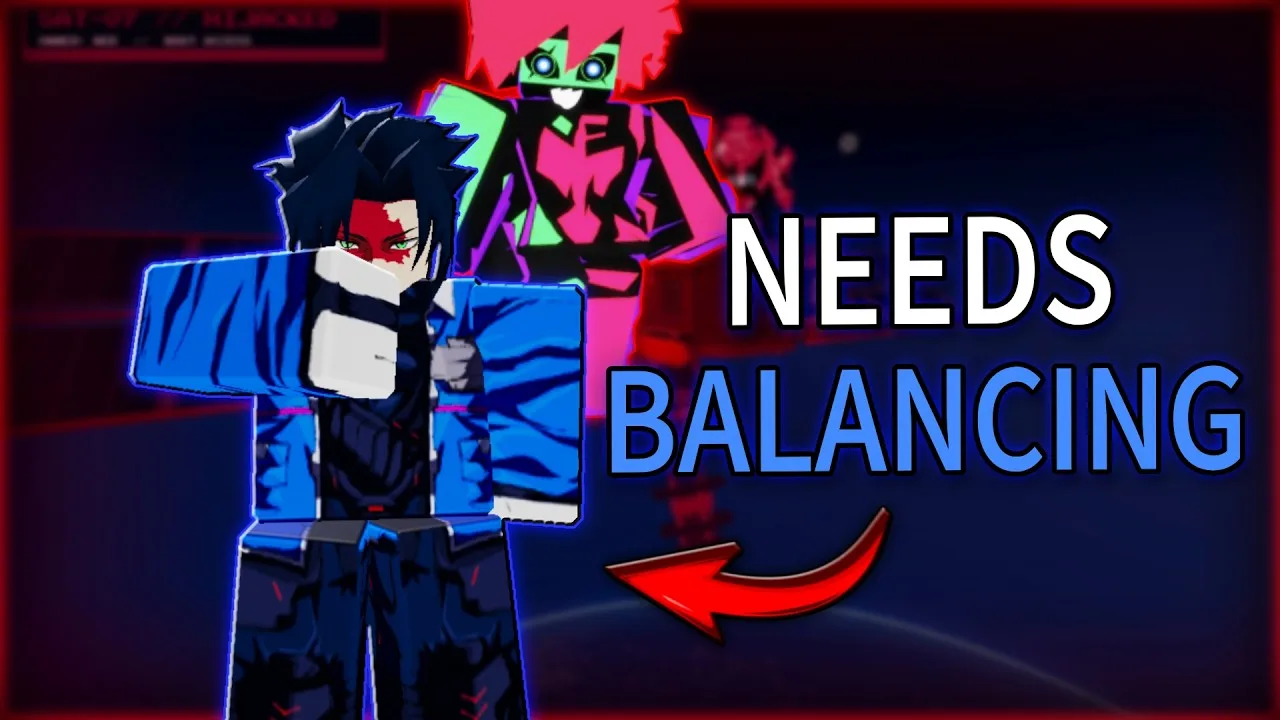
Can You Play Survive a Psycho on PC?
You can jump into Survive a Psycho PC matches through Roblox. One player becomes the Psycho while everyone else fights to survive, so understanding the round objective matters more than simply chasing damage. Your team can win by lasting three minutes or taking the Psycho down.
Launch the experience through the official Survive a Psycho Roblox page. The game supports PC, console, and mobile, with up to 20 players per server.
That server size means a full match can put one Psycho against 19 survivors. Expect crowded fights, overlapping abilities, and plenty of reasons to keep track of an escape route.
Understand the Round Before You Start Shooting
Survivors can fight back instead of spending the entire match running away. The important decision is whether to keep attacking or protect your remaining health until the timer expires.

Watch the clock before committing to another fight. With little time remaining, surviving can accomplish more than chasing a dangerous opponent through the map.
The two featured threats create different encounters:
- Adam Smasher: A heavily armored attacker with close-range strikes, missiles, and a Sandevistan ability. Watch for attacks that can launch you away from the fight.
- Capri: An opponent with ranged attacks, satellite lasers, and a car attack. Knocking her down also introduces a chip mechanic: whoever holds the chip might become the next Capri.
Keep watching after Capri falls. Her chip can change who becomes the threat, so dropping her does not necessarily mean the danger is over.
Against Adam Smasher, locate the stairs and connecting routes before you need them. His scenario includes fighting across multiple floors, and getting turned around can leave you struggling to reach teammates or escape an attack.
PC Combat: Learn Your Equipped Class
For gun attacks, holding the left mouse button fires continuously, with automatic reloading keeping the shots coming. That makes it tempting to focus entirely on the target, but your class abilities deserve attention too.
The survivor roster includes characters such as Lucy, David, and Maine. Their tools differ: Lucy uses Monowire and quick hacks, while Maine has shotgun and cannon attacks.
Learn your equipped abilities before spending spins to replace the class. Recognizing an attack, movement ability, or disruption tool gives you a clearer plan than pressing every available button during a crowded fight.
Use these priorities during your opening matches:
- Keep an exit in view. Avoid chasing the Psycho into an unfamiliar room without knowing the route back.
- Watch your health while attacking. Surviving the timer remains a valid objective.
- Read the ability names and prompts. Switching characters changes the tools you need to understand.
- Check which class is equipped. Your survivor selection and your chance of becoming the Psycho are separate systems.
Get Free Spins and Redeem Rewards
Spins roll for survivor classes, and the game advertises seven classes. Like the experience and join its Roblox group to earn a free spin. You also receive one free spin every 10 minutes.
You can also spend cash earned in matches to get more spins.
Use the reward codes below for additional resources:
| Code | Reward |
|---|---|
| UPDATESPINS | 3 Spins |
| UPDATECASH | 5k Cash |
| EMOTEROLLS | 2 Emote Rolls |
| SKINROLL | 1 Skin Roll |
To redeem a code:
- Open the Settings cogwheel in the upper-right corner.
- Enter the code in the text box.
- Select Redeem.
Keep class spins and skin rolls separate when choosing purchases. The 399 Robux 2X SKIN LUCK pass doubles the likelihood of Epic and Legendary skins on skin rolls. The 499 Robux 2X CASH pass increases cash earned through gameplay by 100%; cash purchased with Robux receives no boost.
Continue with
 Survive a Psycho Console: Platform Support and PlaySurvive a Psycho console support lets you join Roblox's survival action. Learn the round objectives, survivor classes, and how to claim free spins in-game.
More in Platforms
Survive a Psycho How to Join: Roblox & Group Guide
Survive a Psycho how to join guide: open the Roblox game, find supported devices, join the developer group, and claim free spins before your next match.
Survive a Psycho Mobile: How to Play and Get Started
Play Survive a Psycho mobile through Roblox, learn the three-minute survival objective, explore survivor classes, and claim free spins before a round.
Continue exploring

Survive a Psycho Adam Smasher: Combat & Survival Guide
Survive a Psycho Adam Smasher guide: learn his attacks, use the three-minute timer, survive the tower, and make your turn as the Psycho count. Get ready.
Survive a Psycho Capri Class: Unlocks and Boss Skills
Explore the Survive a Psycho capri class, learn how Class Spins work, and understand Capri's ranged Psycho attacks before jumping into your next match.
Join the community
Official channels for news, updates and player help: